


Social media event displays turn attendee posts from Instagram, X, LinkedIn, TikTok, and Direct into one live feed on a screen at your venue. They are built on a social wall, which collects user-generated content in real time. This content is then automatically moderated. Organizers can reuse the same feed across the lobby, sponsor booths, and the recap page after the event wraps.
About ten years ago, most events used what people called real-time tweet displays. A single hashtag search appeared on a projector screen, on one network only. That doesn’t match how attendees actually post today. A conference audience shares posts on Instagram Stories, LinkedIn, TikTok, and X, often within the same hour. This guide will teach you what a social media event display is, how to get content from all the platforms your audience uses, where to put the screens, and how to keep the feed clean enough to trust it on a keynote stage.
A social media event display is a live screen, on a stage, in a lobby, at a booth, that shows posts collected from social media and other sources for one event. It updates automatically as people post. Most of these displays use what’s called a social wall. It’s software that watches a hashtag, an account, or a set of keywords across multiple networks. It pulls in matching posts, filters out anything off-brand or spammy, and arranges the rest into a feed, grid, or slideshow.
The display can be a single screen behind the main stage, a grid running in the registration lobby, or a slideshow on the event website for people watching from home. Walls.io makes social media events display-worthy by collecting content from social media and displaying it anywhere. It runs in the background and pulls in new posts as soon as they’re published.
Create your own social wall
Give your audience a social media event display
Choosing a social media event display solution usually comes down to a few practical aspects. The right answer depends on the size and format of your event. Here are some general aspects to have in mind when time comes.
1. It’s user-friendly
This is important for the event team that’s setting things up and for the people who are there. A tool that needs weeks of training defeats the purpose, especially for one-off or annual events where staff won’t retain deep expertise between uses. An easy integration from a social media event display ensure that every member of the team can manage the tool, and cuts down time.
2. It integrates with your tech
It works well with the software you already have. Platforms for registering users, customer relationship management (CRM), marketing automation, streaming, and audio-visual (AV) setup are often the biggest hidden costs. A solution that looks great on its own but requires manual data exports or custom development to connect elsewhere can quietly use up the budget.
⭐ Related: Social Media Integration
3. It protects attendee’s and your data
Privacy is important when collecting information about people who attend events, photos, or social media content. You should check where the data is stored, how consent is handled, and if the vendor’s data processing terms align with GDPR (or your local laws).
⭐ Related: Privacy-First Social Feeds, Cookie-less Embeds That Protect Your Brand
4. Content can be moderated
It’s very important to moderate and control content for any site that has live, user-generated content. This includes social walls, live Q&A, and polls. If you don’t moderate these public displays, they can quickly go wrong. Look for tools that allow you to moderate content in real-time, filter out profanity, and approve content before it’s shown.
⭐ Related: Social wall moderation
5. It tracks analytics
Analytics and reporting determine whether you can prove the return on investment afterwards. This means looking at engagement rates, reach, lead capture, and sentiment. You can’t just run the tool and hope it helped.
⭐ Related: Social Media Wall Analytics
Add your social media event display on your website, intranet or screen in three simple steps.
1. Get a Walls.io account
First of all, set up your Walls.io account. It’s straightforward and takes less than 5 minutes to create your social live feed, including adapting the design.
In Sources, connect your account to any of your social media accounts and start collecting content from a hashtag, profile, or page.
Check out all sources: walls.io/sources
3. Add your display
To customize your embed or display, go to the Embed & Display section in your Walls.io dashboard and adjust the parameters as needed.
You can set the width, height, and responsiveness of your widget. The wall header is hidden and the background is transparent by default to help it blend into your site — but you can change both if desired. For detailed instructions, check out our screen/digital signage guide or embed guide.
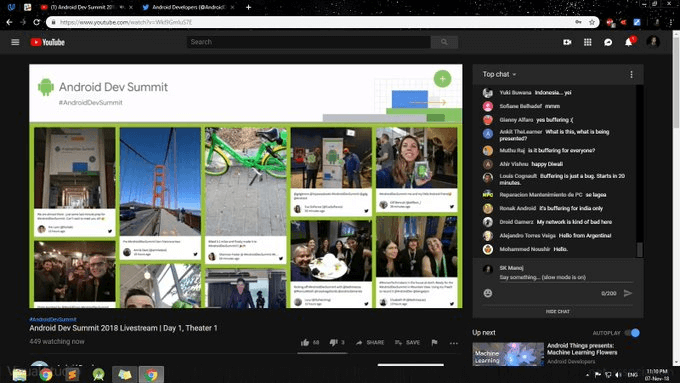
Hybrid conference display by Google
Google has been using social media walls for some of its large-scale hybrid international events. They set up huge on-site displays, and incorporated real-time social streams into their live streams.
Google has been very diligent about making sure there is a live stream for all their public events. And they made the social wall part of the live stream, often showing it in the breaks between the individual agenda items.
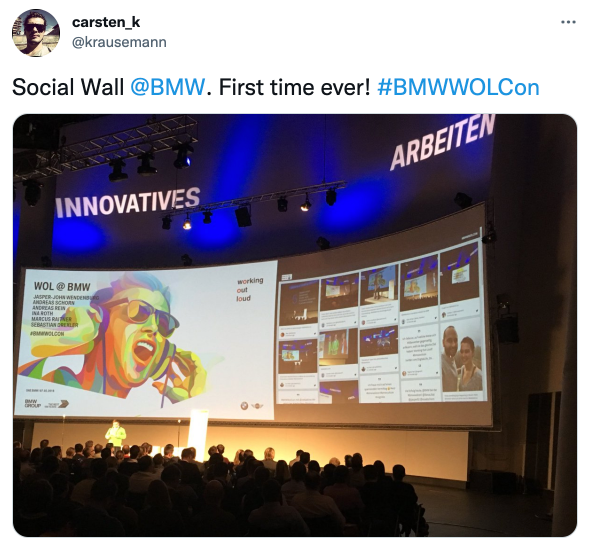
Internal event display by BMW
BMW Group Germany used a live social media feed for events to enhance a 500-people internal event they organized. Working Out Loud is an initiative started by John Stepper and first adopted at the BMW Group a few years ago. The grassroots movement aims to improve the quality of work by encouraging people to share work in progress with a relevant community. The idea is to get input from and collaborate with the community and learn from each other’s processes and solutions.
BMW Group used the Walls.io event solution to set up a social media wall for this conference. Anyone could provide input and photos by posting on social media with the hashtag #BMWWOLCON.
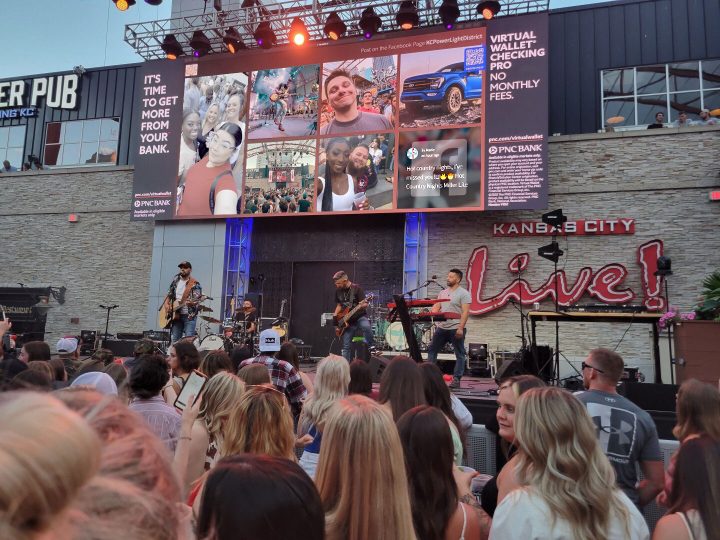
Miller Lite Hot Country Nights presented by 106.5 the Wolf is a country concert series happening every Thursday evening, all summer long! They give spectators a voice by listing their Tweets, Facebook mentions, and Direct Posts on a social wall display that’s part of the stage.
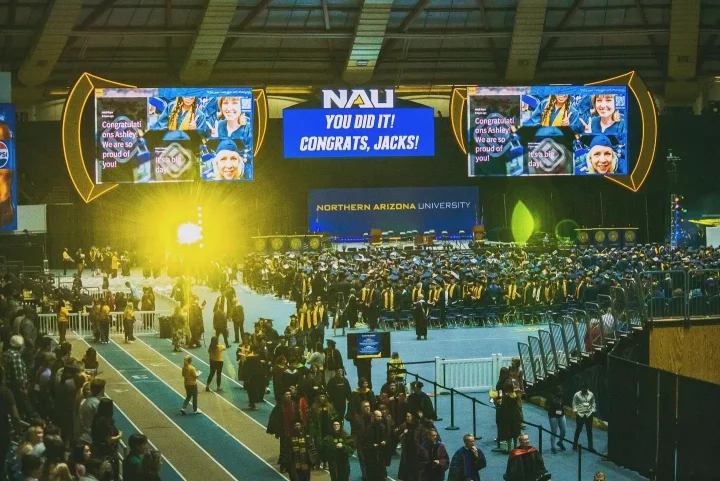
Graduation event display by Northern Arizona University
Northern Arizona University utilized Walls.io to collect and showcase real-time social media posts from graduates, families, and friends, creating a dynamic and engaging celebration. This real-time display amplifies the memorable moments and fosters community and connection among participants.
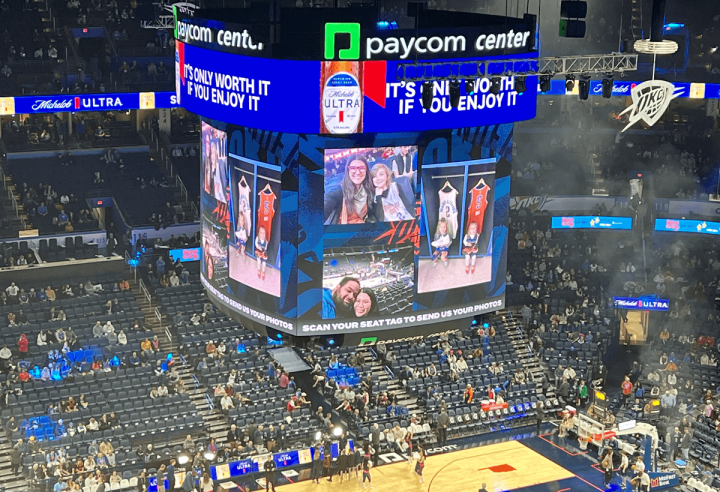
Sports event display by Oklahoma City Thunder
The Oklahoma City Thunder, also known as the Thunder, set up a large social wall screen in the arena on game days and let fans post photos of themselves directly to the wall using a QR code. Whether it is to drive fan engagement, collect unique UGC, or motivate players, they are doing a great job.
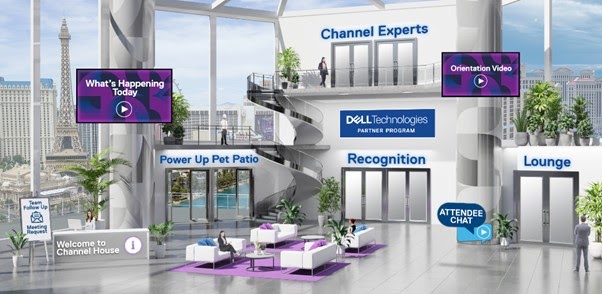
Virtual event display by Dell Technologies
Dell Technologies built a “Virtual Patio” inside their Dell Technologies World – Channel House virtual venue, powered by a second social wall running alongside their main event feed. The space became one of the most visited corners of the event: attendees snapped selfies with their pets at a virtual Photo Booth (Walls.io’s feature that generates branded photos) and shared them using the hashtags #NAChannelHouse and #delltechnologies. The playful angle gave remote attendees an easy reason to keep coming back between sessions.
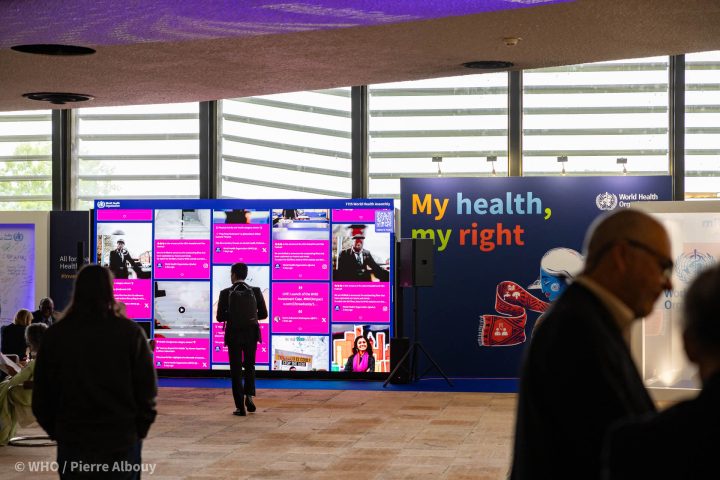
At the 77th World Health Assembly, the social wall acted as a central hub for engagement, prominently displayed on a large digital screen at the venue. It drew attention from delegates who shared their WHA moments through Direct Posts and aggregated content from various WHO social media accounts.
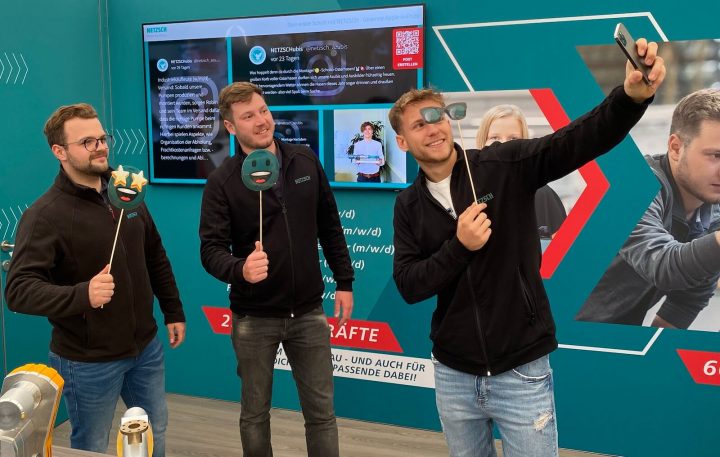
NETZSCH Pumps & Systems is an excellent example of how to use social walls for employer branding. The company integrated a social media wall into their booth at an education fair focusing on traineeships. To entice future applicants, NETZSCH combined Instagram content produced by existing trainees with targeted Native Posts. They also set up a contest visitors could participate in using the Walls.io Direct Posts feature right there at the booth.
Walls.io creates social media displays for conferences, trade shows, and product launches of all sizes. If you only need it live for a few days, we’ll create a plan just for your event. Try it for free, and have a working display ready before your next hashtag goes live.
👉 Ready to make attendees part of the story?
Start building interactive experiences with Walls.io today